A release note tells the people who use your product what changed in a release, why it matters to them, and what they need to do about it.
If you own documentation on a fast-shipping team, you already know the real problem: the record of what actually changed lives in merged PRs, closed Linear or Jira tickets, and yesterday's deploys, but the note itself still gets written from scratch, late, by whoever has a spare hour.
The gap between "what shipped" and "what we told people" is where release notes quietly sit.
In this guide we cover what release notes are, what to include and what to leave out, the main types, the difference between internal and external notes, real examples worth copying, where to distribute them, and how to draft them straight from your PRs and tickets with a human still reviewing before anything ships.
Key takeaways
- A release note is a short, per-release record of what changed and why it matters to the reader; a changelog is the terser, chronological log underneath it.
- Every release produces two notes: an internal one for eng, support, and CS, and an external one for customers. This reader owns both.
- Decide what to leave out before you draft. Internal refactors and quietly-shipped patches usually should not surface to customers.
- Distribute in-app first, then a public changelog page, email, and Slack; keep internal notes in your KB.
- You can generate a first draft from merged PRs and completed tickets, then have a person review it before it publishes. AI assists; a human still owns the editorial call.
What are release notes?
A release note is a short document that records what changed in a specific product release, explains what those changes mean for the people affected, and points them to anything they need to do next. It is one entry per release, written in plain language, and it sits alongside your other software documentation as the running account of how the product evolves.
As software is shipped continuously, data feedback drives constant iteration. People when they buy software, they adopt a version of it and expect to see, release after release, what is being fixed, improved, and added.
The release note is how you make that visible.
Release notes vs. changelog
The two terms get used interchangeably, but they do different jobs:
- A release note is user-facing and benefit-framed. It groups the changes in a release and explains why they matter, one entry per release.
- A changelog is chronological, terse, and developer-leaning. It is often generated straight from commits or merged PRs and reads as a running list of what changed, in order.
Use a changelog when your audience is technical and wants the raw, ordered record.
Use release notes when you are communicating impact to customers or internal teams.
In practice the changelog is often the raw material, and the release note is the edited, reader-facing version built from it.
Why are release notes important?
Release notes are customer-facing technical documentation. They reflect the work your engineers and product teams put in behind the scenes, and they are your chance to show users they have the current version of the product and to explain changes before those changes cause confusion.
Another reason is that release notes and change logs are increasingly read by machines, not just people.
These docs feed retrieval pipelines, internal search, and AI agents that answer questions from your docs.
That raises the bar in two ways.
- Completeness: if a note omits part of what shipped, an agent gets a partial picture of your tool.
- Cadence and coverage: an agent reconstructs "what the product does now" from your most recent notes, so publish rarely or skip releases and it will answer from an older note as if it were current.
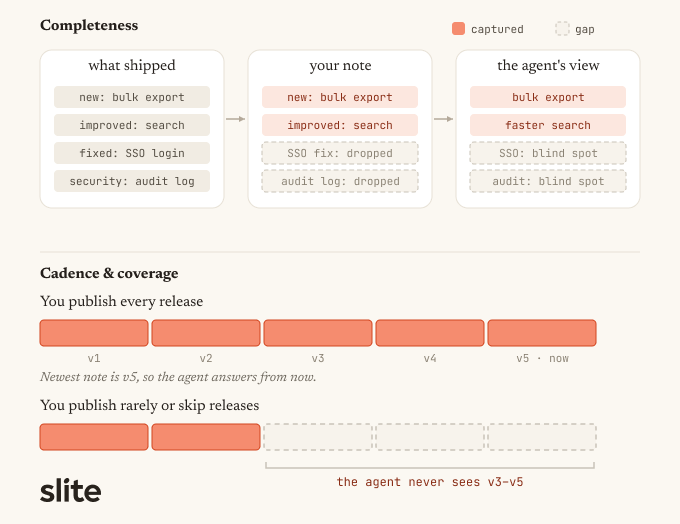
A thin or infrequent stream quietly teaches machines the wrong current state.
What goes into a release note?
A good release note is a structured document with predictable parts, not a blob of announcement copy. Treating it as a document with fields is what makes it fast to write and easy to scan.
What to include
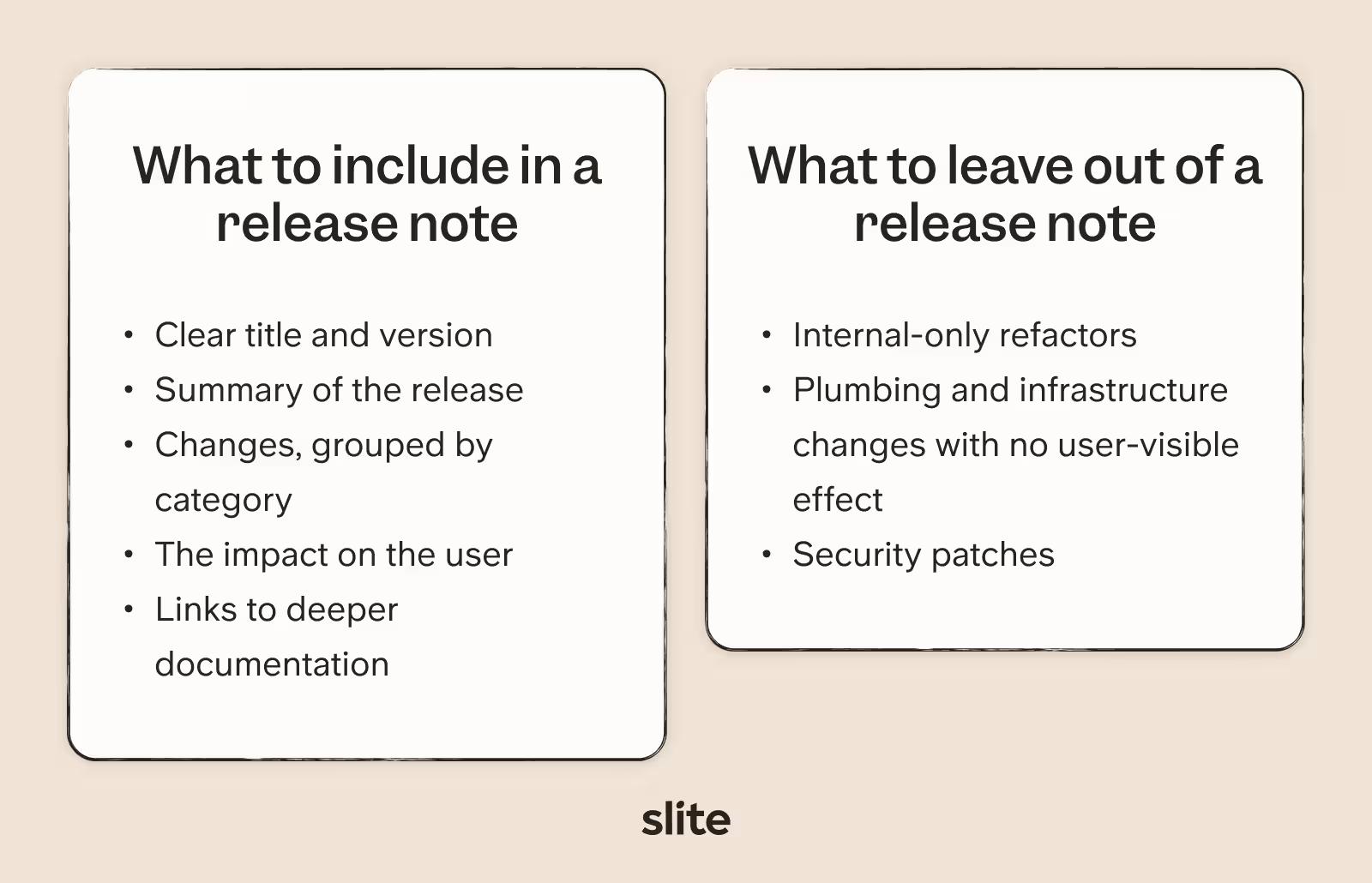
- A clear title and version or release identifier.
- A one or two line summary of the release.
- The changes, grouped by category: new, improved, fixed, deprecated, and security.
- The impact on the user for anything that changes their workflow.
- Visuals where a screenshot or short GIF explains a change faster than words.
- Links to deeper documentation for anything that needs more than a line.
Order the note by impact, not by ticket number. Open with the grouped highlights, major updates first, then new features, then improvements, then bug fixes, and close with a short summary of the smaller fixes.
Readers should get the important changes in the first few lines.
What to leave out
Internal-only refactors, plumbing and infrastructure changes with no user-visible effect, and quietly-shipped security patches usually should not surface to customers.
Format options
Notes can be plain text, markdown, or HTML, and they can live in email, in an in-app widget, or on a maintained docs or knowledge-base page.
For a Git-adjacent team, markdown and a maintained KB page are the natural default: they version cleanly, they are easy to generate from, and the KB page holds a stable URL you can keep pointing people to.
Types of release notes
The category shapes the tone and length:
- Feature launch notes lead with the benefit and often carry a visual.
- Bug-fix notes stay short and factual.
- Security notes are precise about what was affected and what the user should do, without over-disclosing.
- Deprecation and breaking-change notes need a migration path and a clear window. For a FinTech or dev-tool audience under SSO and compliance, these are the notes that matter most, so give them room.
Internal vs. external release notes: who are you writing for?
The single most useful question to ask before writing is who the note is for, because the same change usually produces two different notes.
Internal release notes
An internal release note is for your own organization: engineering, support, and CS.
It says what shipped, what broke or changed behavior, what to watch for, and it links straight to the PR or ticket. It is teser and more technical, and it is the note that stops your support team from being surprised by your own release.
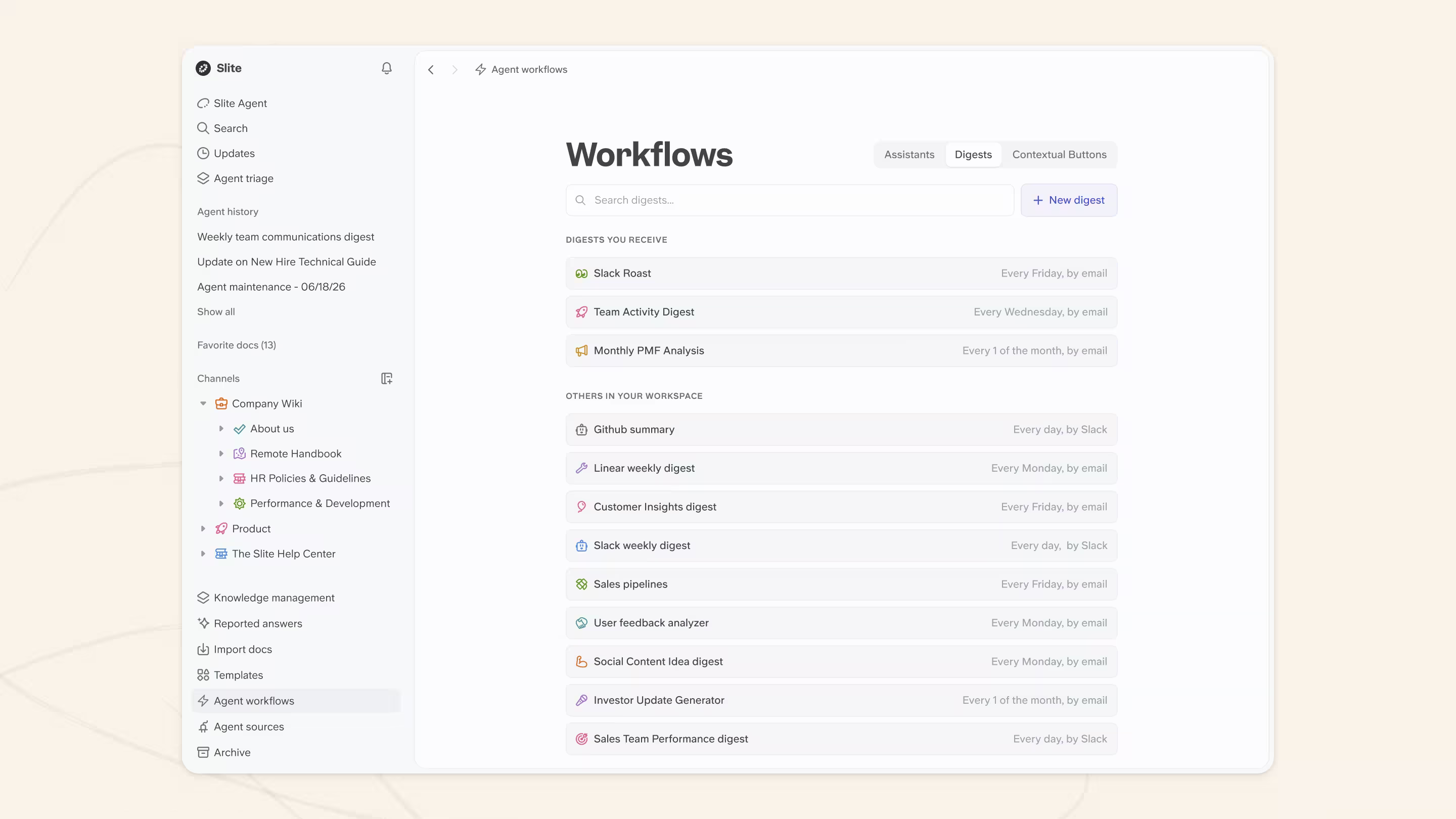
For Slite users, you can use the Digests feature to set them up easily and automatically:
An external release note is for customers. It is benefit-framed, written in plain language, and scoped to what a user actually needs to know, one entry per release.
Audience changes everything downstream.
It sets the tone, the length, how much technical detail belongs, and where the note goes:
- internal notes live in Slack and your internal KB,
- external notes go to a public changelog and email.
Deciding the audience first means every other choice follows from it.
Keeping release notes accurate, owned, and verifiable
Release notes are a point-in-time record: each one stays true about the release it describes, so unlike your living docs they don't need re-verifying as the product moves.
What keeps the record trustworthy is different:
- anchor each note in time ("in v2.3 we changed…") so a claim can't later be read as current state,
- keep each note complete,
- and publish often enough that the stream keeps pace with the product.
Give the log an owner and a date; an owned, dated, immutable record of what changed and when also doubles as an audit trail for a SOC 2, HIPAA, DORA, or BaFin cycle.
Best practices for release notes
Once you know what goes in a note and who it is for, a handful of habits separate notes people read from notes people skip.
| Practice | What it means |
|---|---|
| Keep them short and high-signal | Cut anything that does not help the reader understand what changed or what to do. If a change needs more room, link out to a doc instead of expanding the note. |
| Write in plain language | Translate the internal and technical jargon you pick up without noticing, and write plainly, especially in customer-facing notes. |
| Show it, don't just say it | Use a screenshot or short GIF when it explains a change faster than copy; where images are not supported, lean on clear formatting. |
| Keep a consistent voice and structure | Keep the same shape release after release so people learn to scan your notes. Consistency and clarity signal trust, not personality. |
| Close the feedback loop | Ask whether notes are landing, internally too: support and CS see confusion first. Survey a mix of new and long-time users, and feed what you learn back in. |
Release notes examples (and what each one does well)
The fastest way to write better release notes is to study teams that already do it well. These are the ones a documentation owner benchmarks against:
Linear
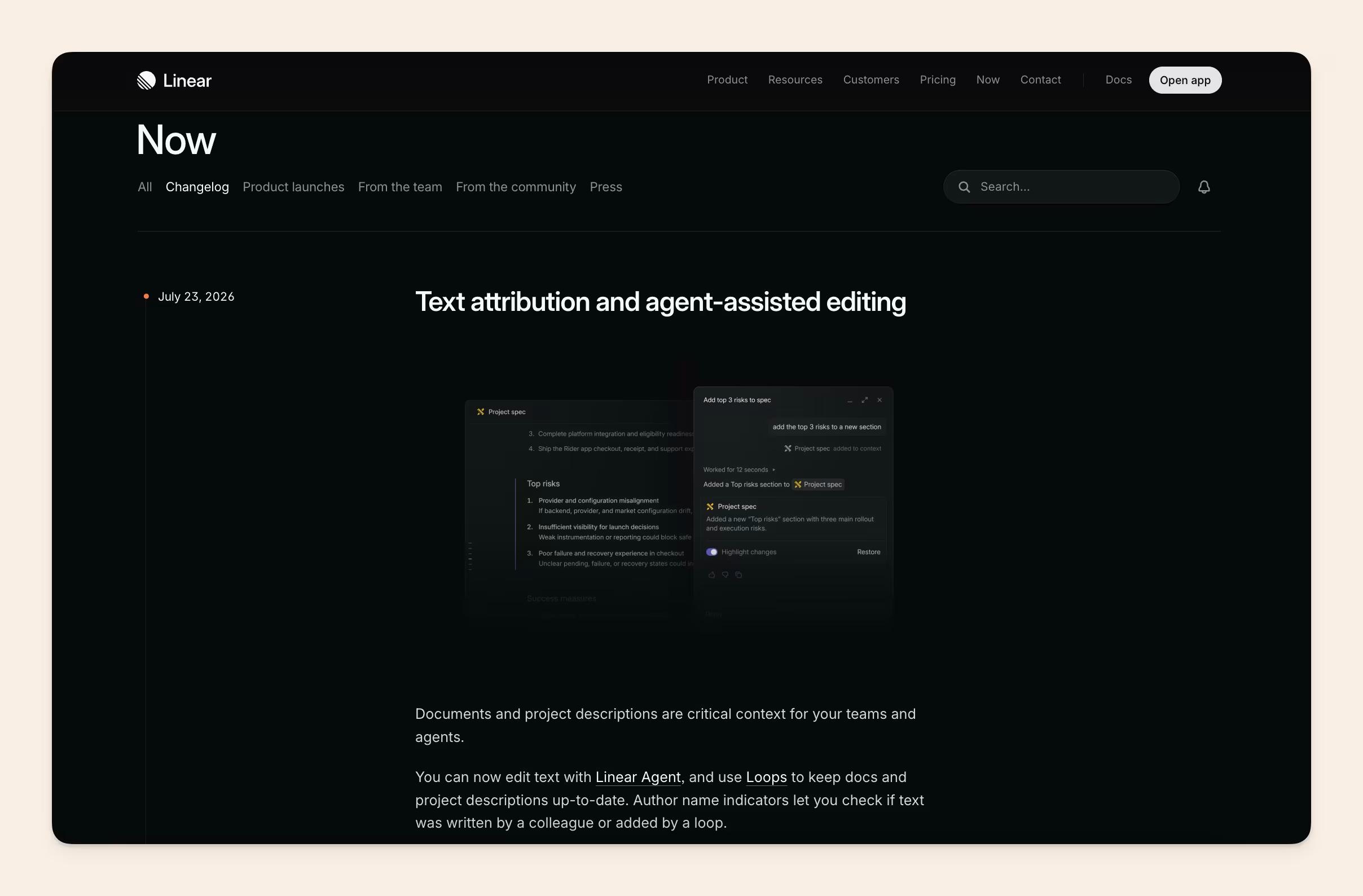
Linear keeps its changelog tight and impact-first, with categorized entries and clean visuals. It reads like a product team talking to people who ship, which is exactly its audience.
Stripe
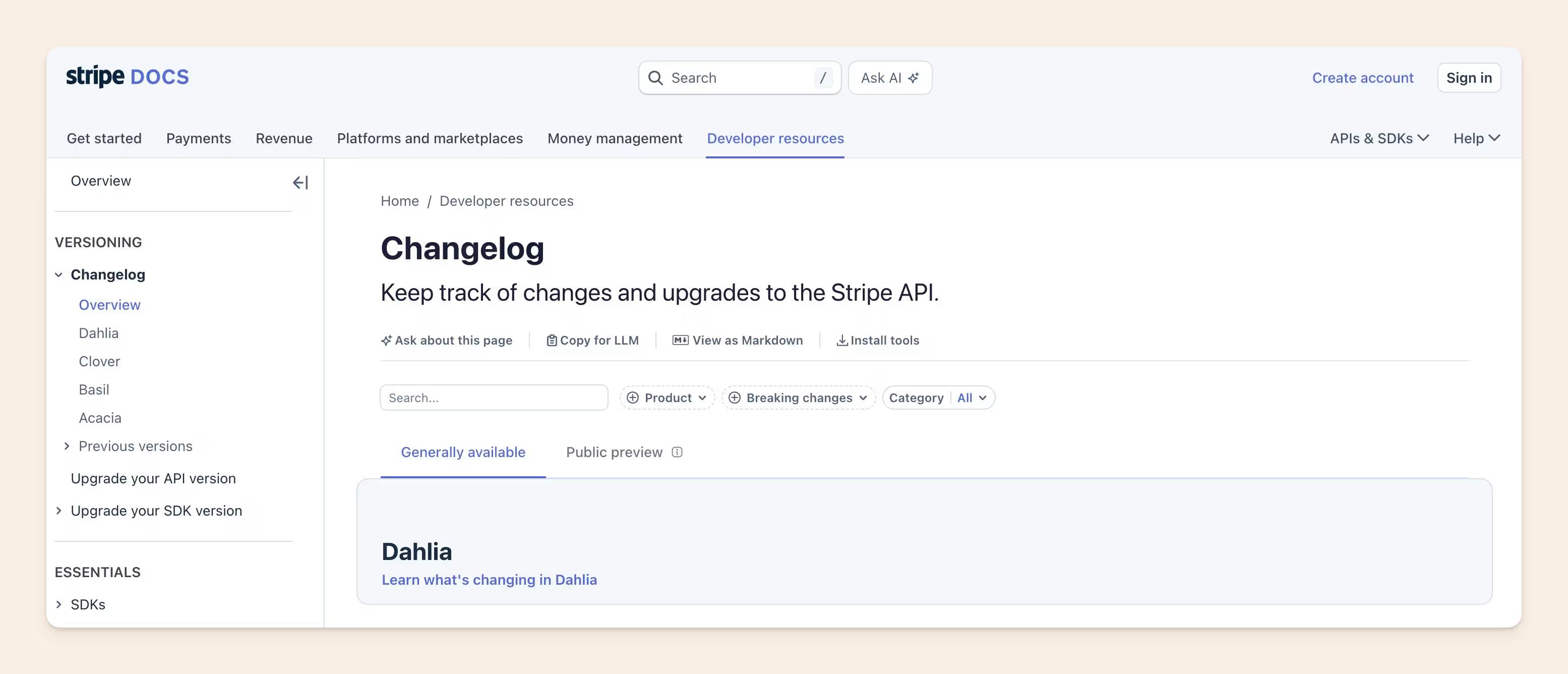
Stripe pairs a developer-facing API changelog with clear, dated entries and links straight to the relevant docs, a good model for anyone maintaining both a technical log and a readable note.
Vercel
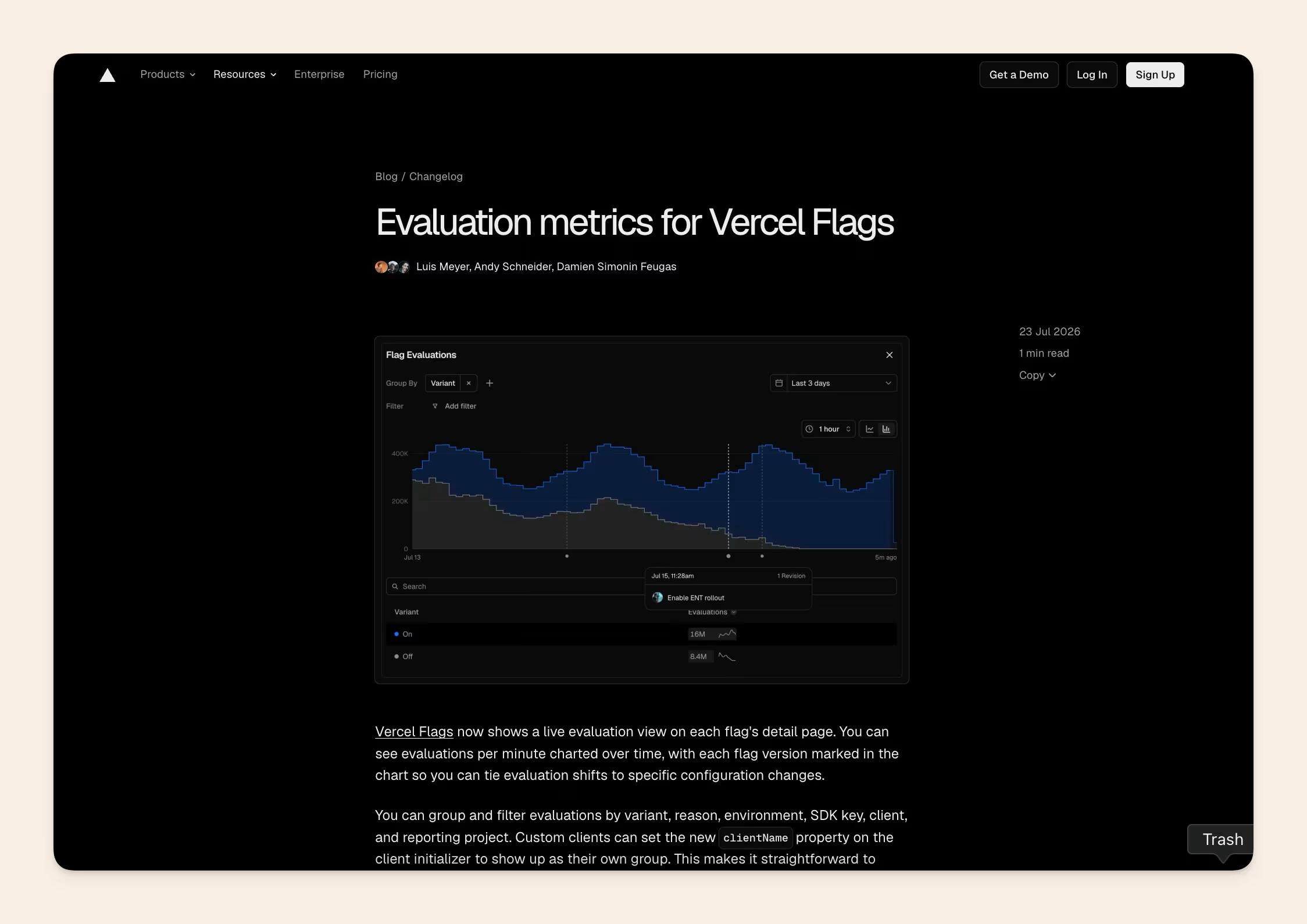
Vercel leads with the user benefit and a screenshot or short clip per entry, then links to depth for the people who want it.
GitHub
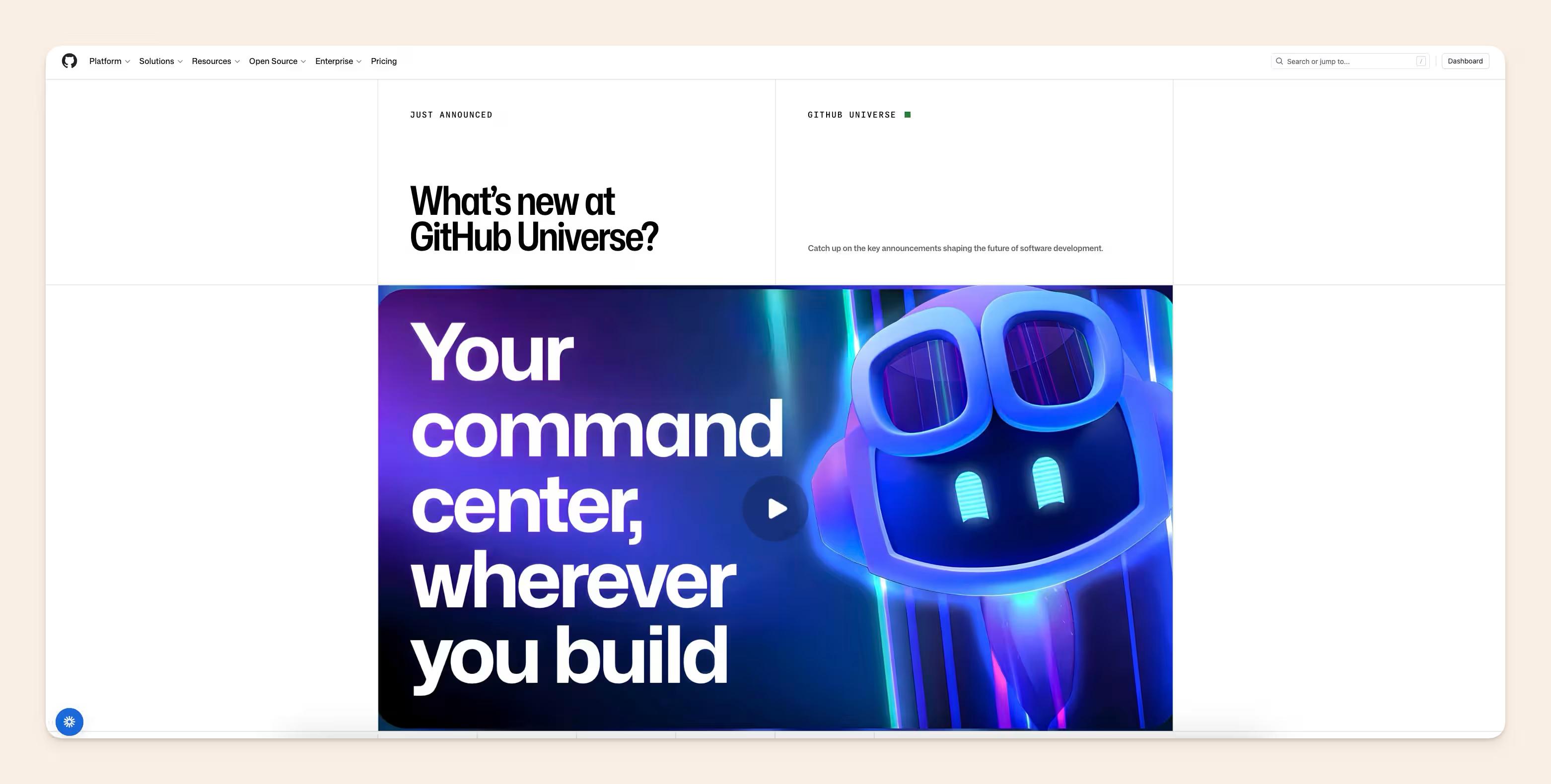
Github separates a terse, engineering-facing changelog from more readable feature announcements, a clean example of the internal-vs-external split in practice.
Notice the pattern across all of them:
- plain language,
- scannable structure,
- changes grouped by impact,
- visuals where they help,
- and links out to deeper docs.
Several also publish both a polished customer-facing entry and a terser internal or engineering note for the same change, which is the internal-vs-external axis in action.
Who should write release notes?
The people closest to the change and the people who own the reader's experience are not always the same, so ownership is worth being clear about.
- The raw material, the merged PRs, closed Linear or Jira tickets, and deploys, comes from engineering. That is the record of what actually changed.
- The editorial pass, deciding what to surface, what to cut, and how to say it, is owned by a human, often the documentation owner themselves, who frequently is the technically-literate person sitting between the product and its readers.
- Between those two sits AI-assisted drafting, which turns the raw ticket data into a first draft a person then edits.
What you do not want is to treat release notes as marketing copy that engineers are kept away from, or to route every note through a separate team before it can ship.
The upstream context usually starts in a product requirements document, and the job is to carry that thread through to a clear note, with a person owning the final editorial judgment.
How to generate release notes from your PRs and Jira/Linear tickets
We keep hearing the same thing from engineering-led teams: they want release notes generated from what actually shipped, straight from deployments, PRs, and tickets, rather than reconstructed by hand.
The consistent condition attached to that ask is that a person approves the result before it goes anywhere; the generation step drafts, but nothing is written back automatically.
In Slite, you can use our Slite agent to easily automate the task by pointing the agent at your Jira or Linear tickets, giving it a prompt and letting it craft a new release note for you every time you have a new relevant PR.
Here is the workflow we suggest:
- Find the last changelog entry and use it as the starting point.
- Pull the merged GitHub or GitLab PRs and completed Linear or Jira issues since then.
- Read the PR descriptions and linked issues, not just the titles, so the note captures why a change exists, not only that it happened.
- Detect the top one to three themes across those changes.
- Group them by impact: major updates, then new features, then improvements, then bug fixes.
- Filter out the internal-only refactors that should not reach customers.
- Hand the draft to a person, who reviews and edits before anything publishes.
Slite Agent's release-note generator is built to do exactly this: it scaffolds a draft from your existing PR and ticket data rather than authoring from nothing, and the review step stays human by design.
If you prefer to start manually, our free release notes template gives you the same structure to fill in by hand.
Most teams end up using both: the template as the manual starting point, the generator as the AI-assisted path.
Where and how should you share release notes?
A great note that nobody sees does no work, so distribution deserves as much thought as the writing. The right channel depends on whether the note is internal or external, and the channels are not equal.
Rank them roughly like this:
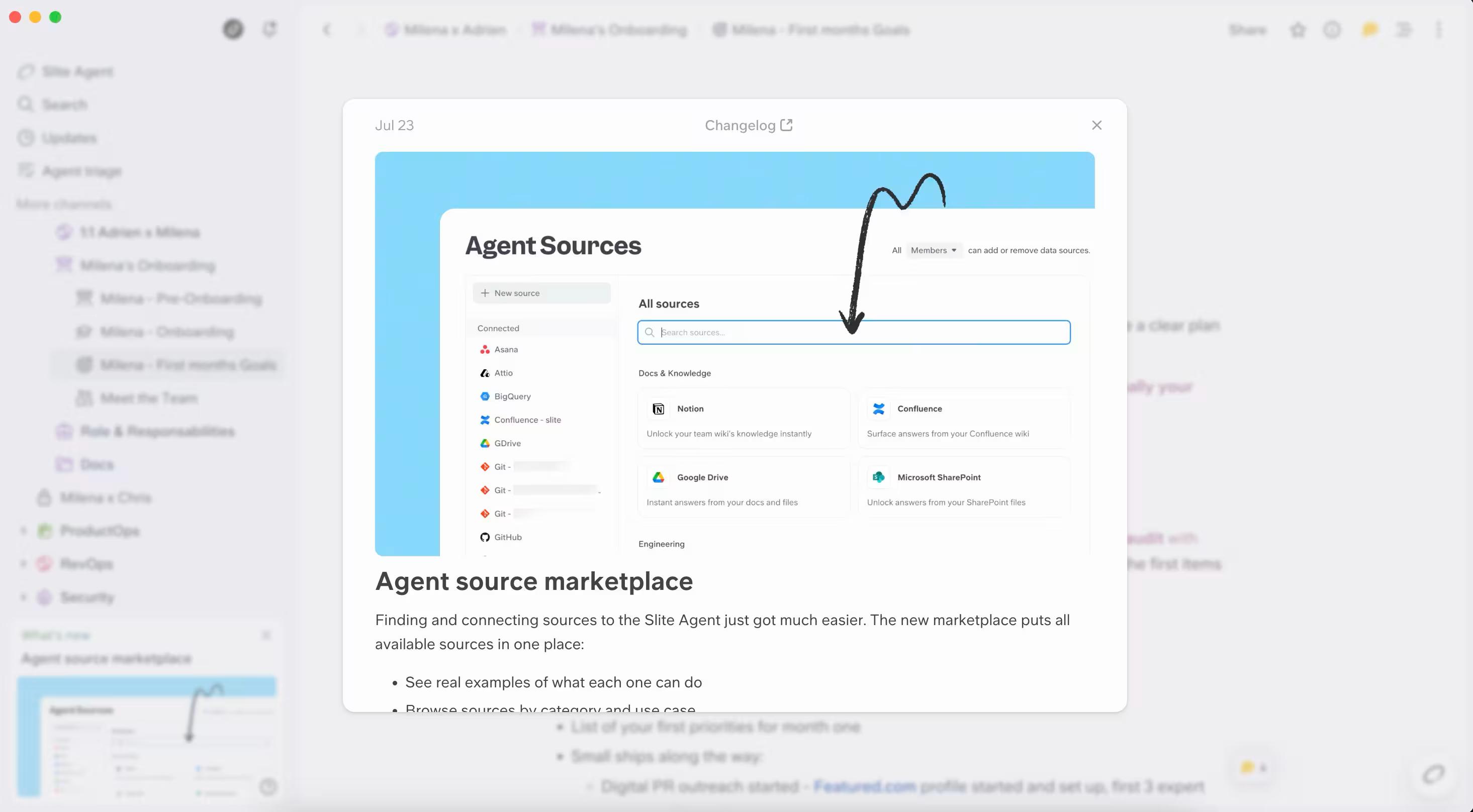
- In-app first. A release-notes widget or modal reaches users exactly where the change lives, which is why it is the highest-impact channel for most product teams.
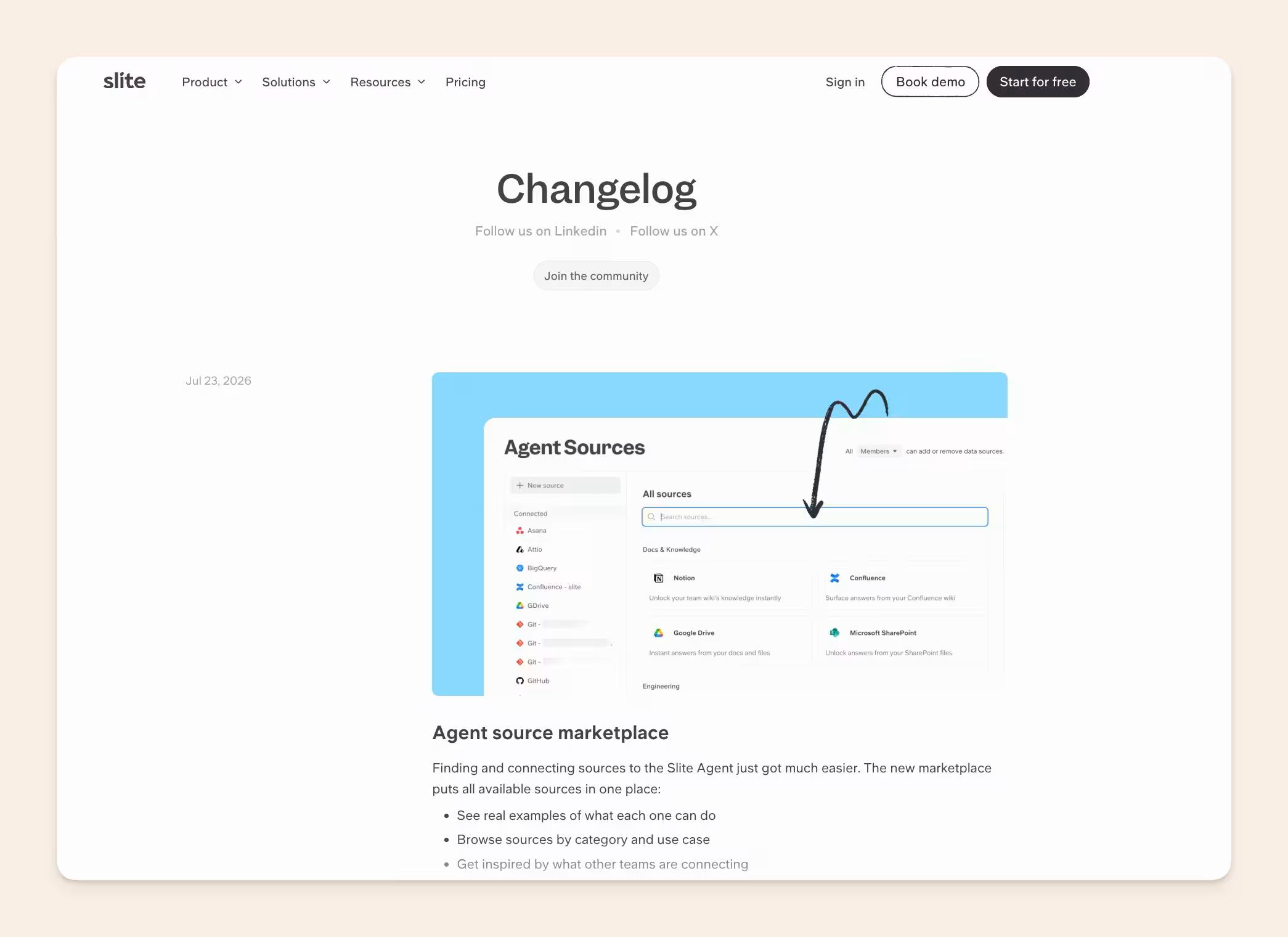
- A public changelog or docs page. A maintained page with a stable URL that you can point people to and link from anywhere.
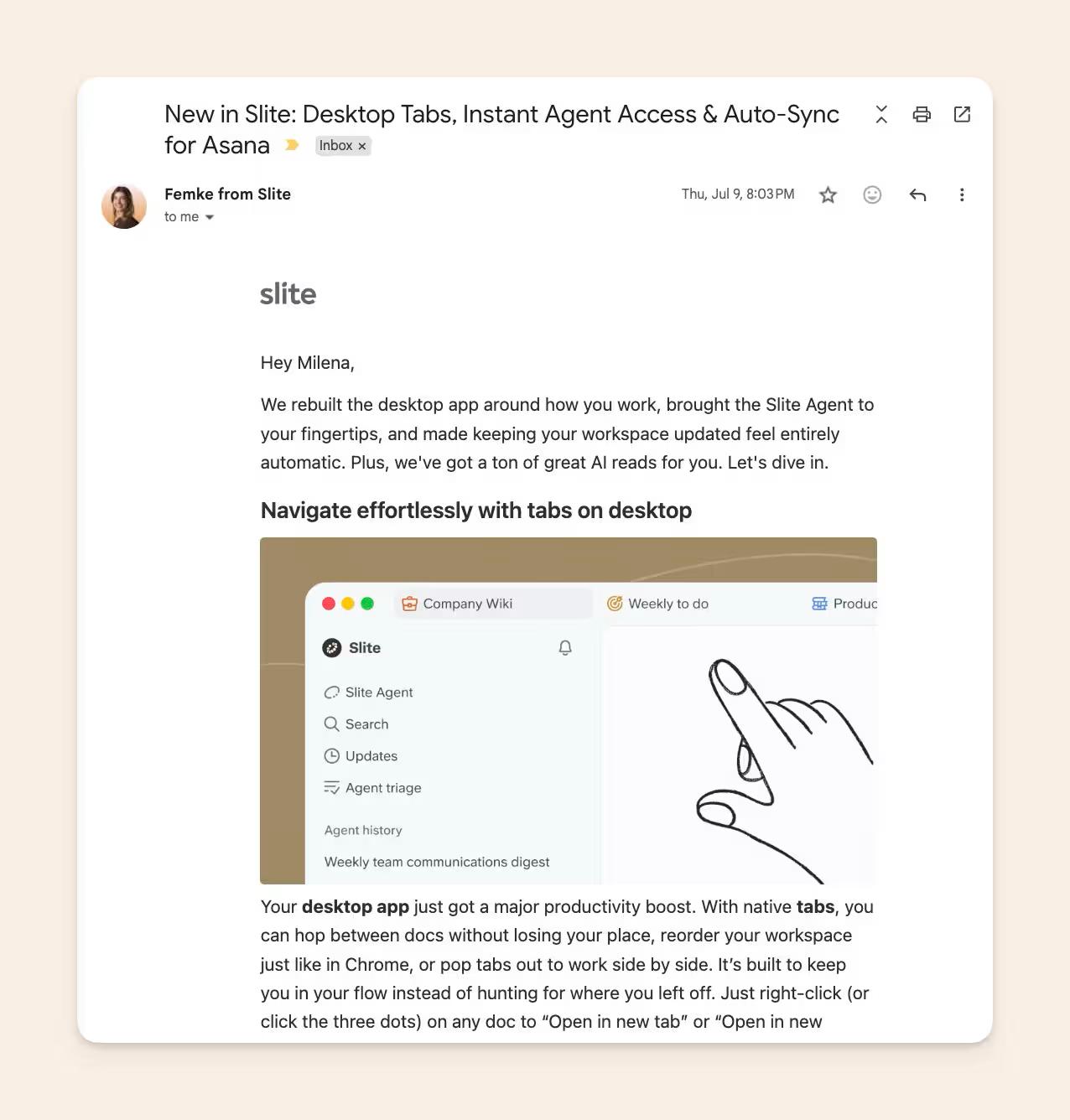
- Email. Best for the releases that matter enough to interrupt someone's inbox, so use it selectively.
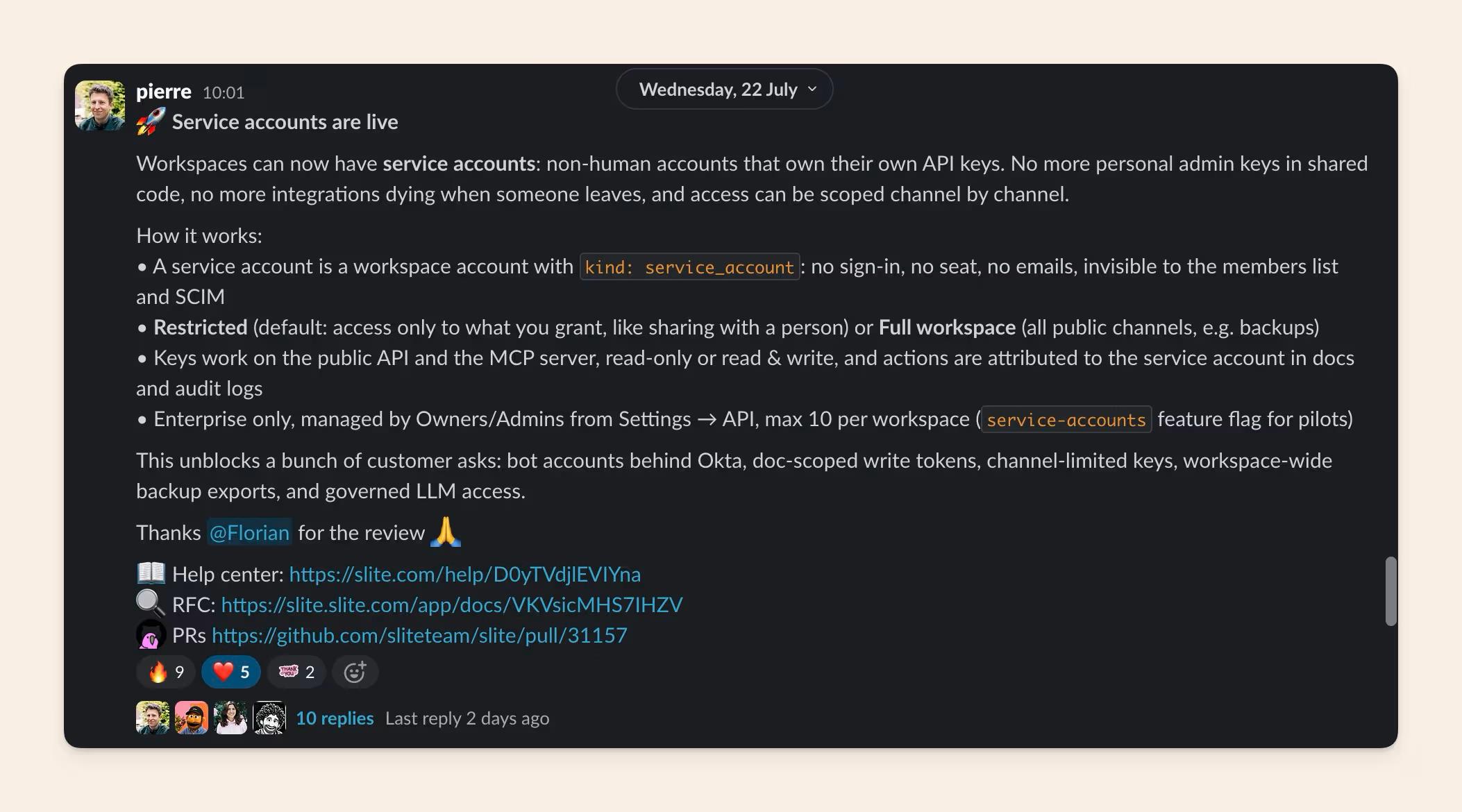
- Slack. The natural home for internal notes, keeping eng, support, and CS current on what shipped.
- An internal knowledge base. Where the durable internal record lives, searchable long after the release.
Release notes are becoming part of your documentation infrastructure
Release notes are shifting from a manual marketing chore into a code-triggered, AI-drafted, human-reviewed part of your documentation infrastructure.
The record of what changed already exists in your PRs and tickets. The work is turning that record into something a person, or a machine, can trust, and keeping it accurate as the product moves.
If you want a structure to start from today, use our free release notes template.
And if hand-maintaining notes across every release is the part you want to stop doing, book a demo and we will show you how Slite Agent drafts release notes from your PRs and tickets while keeping a person in the review seat.
FAQ
When should release notes be sent?
Group related releases under one main announcement on a roughly bi-weekly rhythm. That is frequent enough to show momentum without overwhelming people with a note for every small merge. If you generate notes from PRs and tickets, tie the announcement cadence to your merge and deploy rhythm rather than to an arbitrary calendar.
What's the difference between release notes and documentation?
Documentation explains how the product works right now, as a stable reference. Release notes explain what changed in a specific release and why it matters. Documentation is the current state; release notes are the running record of how you got there. Good release notes link back into the documentation for anything that needs depth.